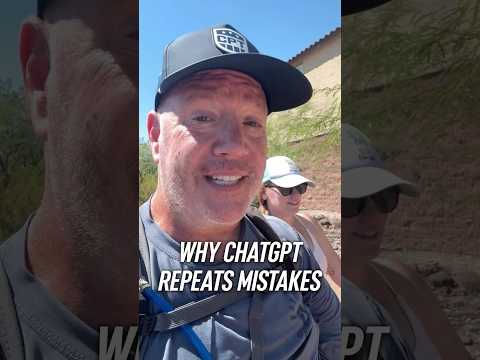
The real cost is deciding the same thing again
Every recurring correction is an undocumented operating standard.
When you fix one ChatGPT response and move on, you solve the immediate problem. You do not create an explicit rule for how the project should handle the same situation next time.
That forces you to spend more time making the same decision again.
The first mistake is an output problem.
The same category of mistake returning is a system problem.
The better question is not:
How do I fix this answer?
It is:
What rule would have prevented this mistake?
That is the method I use.
ChatGPT can help draft the rule. You decide whether it becomes part of the system.
A correction and a project instruction do different jobs
OpenAI describes ChatGPT Projects as workspaces that keep related chats, files, instructions, and context together. OpenAI documents project instructions as separate guidance that you add through Project settings. Those instructions apply inside the respective project and override your global custom instructions there. OpenAI Academy explains how Projects work.
Correcting a response inside a chat is not the same action as editing the project’s standing instructions.
Correcting one response
- Repairs the output in front of you.
- Handles one instance.
- May reflect a temporary exception.
- Can be done inside the conversation.
- Solves the immediate problem.
Creating a project instruction
- Guides future work inside the project.
- Addresses a recurring category of failure.
- Should represent a stable operating rule.
- Must be deliberately added to Project settings.
- Improves the system governing later work.
A conversation can remain part of the project’s context.
That still does not make every correction an approved operating rule.
If the distinction matters, make the rule explicit.
Three decisions need to stay separate
Jeff Fargo’s method
When AI makes a mistake that could happen again, ask what rule would have prevented it.
Then put the approved rule in the project instructions.
OpenAI’s documented product behavior
ChatGPT Projects can contain project-specific instructions. Those instructions apply within that project. OpenAI currently directs users to add or edit them through Project settings. OpenAI documents project instructions in its Projects help article.
Your responsibility as the owner
ChatGPT can suggest the wording.
It does not decide what becomes permanent.
You approve, reject, narrow, rewrite, or remove the rule based on what your business actually requires.
Use the mistake to improve the system
The method from the video is simple: identify the missing rule and place the approved version in the project instructions.
The following sequence adds the approval and testing discipline needed to use that method responsibly.
1. Define the exact failure
Do not stop at:
ChatGPT got it wrong.
Identify what happened.
For example:
- It added a claim the source did not support.
- It ignored a required format.
- It repeated an approach you had already rejected.
- It made a commitment you had not approved.
- It treated source material as a new instruction.
A vague failure produces a vague rule.
Name the behavior you do not want and the decision ChatGPT should make instead.
2. Ask for one candidate rule
Use the failed output as evidence.
Ask:
Review the mistake in your last response. Propose one concise project instruction that would reduce the chance of this specific failure happening again. Keep the rule narrow, explain the tradeoff, and do not treat it as approved.
Ask for one rule first.
You need to determine whether the proposed instruction solves the real problem before adding more language to the project.
3. Evaluate the proposed rule
Do not approve the rule because it sounds reasonable.
Check it against four questions:
- Does it address the exact failure?
- Should it apply to future work in this project?
- Could it damage unrelated work?
- Can you test whether ChatGPT followed it?
A rule can solve one problem while creating another.
Your judgment is the approval gate.
4. Add the approved rule to Project settings
Once the rule survives review, add the approved wording to the project instructions.
OpenAI currently documents this process through the project menu and Project settings. Project instructions apply only inside that project. See OpenAI’s Projects documentation.
Write the rule so it can stand on its own.
It should still make sense when you read it months later without the original conversation.
5. Test the next relevant output
Run another task that could trigger the same failure.
Then review the result.
Did the rule reduce the original problem?
Did it create a new one?
If the rule is too broad, narrow it.
If it is unclear, rewrite it.
If it governs a one-time exception rather than recurring work, remove it.
OpenAI’s prompting guidance recommends reviewing outputs and refining instructions based on the result. The first version of a rule should be treated as something to test, not something to trust automatically. See OpenAI’s prompting guidance.
Illustration: unapproved proposal commitments
This is a generic illustration. It is not presented as Jeff Fargo’s experience.
Suppose you use a ChatGPT Project to help draft proposals.
ChatGPT repeatedly adds delivery dates, guarantees, or scope commitments that you did not supply.
Deleting those claims fixes the current proposal.
It does not establish the operating standard.
A candidate project instruction could be:
For proposals in this project, never invent pricing, deadlines, deliverables, guarantees, results, or commitments. When required information is missing, identify the gap and wait for owner approval.
ChatGPT can propose that language.
You still decide whether it is accurate, properly scoped, and worth applying to future proposals.
Then you test it.
That is the difference between correcting a document and improving the system that creates the document.
When a correction deserves a permanent rule
Add the correction to the project instructions when the failure:
- Has happened more than once
- Is likely to affect future work
- Represents a stable business standard
- Could waste meaningful time
- Could damage quality, trust, margin, or decision-making
- Can be written as a clear and testable instruction
Keep the correction inside the current chat when it reflects:
- A one-time exception
- A temporary condition
- A preference unique to one document
- Missing facts specific to the current task
- A rule that would interfere with unrelated work
- A decision you have not made yet
Do not turn every edit into a permanent instruction.
Project instructions should contain operating standards, not a history of every correction you have ever made.
Project instructions reduce ambiguity, not responsibility
Adding a project instruction does not guarantee that ChatGPT will never make the mistake again.
It does not change the model itself.
It does not prove that the next output is accurate.
It gives ChatGPT clearer guidance for work inside that project.
You still review the output.
You also need to maintain the instructions. Rules can become outdated, overlap, or conflict with newer decisions.
A project filled with obsolete corrections is not a better system.
It is a harder system to govern.
The business decision
Stop treating every recurring AI mistake as an editing problem.
Use this decision:
One-time exception: Correct the output.
Recurring project failure: Improve the project instruction.
Repeated failure across multiple workflows: Clarify the larger system, including what AI handles, what rules govern it, and where human approval remains mandatory.
The leverage is not a perfect prompt.
The leverage is turning your judgment into a reusable operating rule without giving away control of the decision.
Sources
- Jeff Fargo, Fargo Talks: Why ChatGPT Repeats Mistakes
- OpenAI Help Center: Projects in ChatGPT
- OpenAI Academy: Using Projects in ChatGPT
- OpenAI Help Center: Prompt Engineering Best Practices for ChatGPT
Transcript
Verbatim from the Fargo Walks clip, as recorded.
When AI messes up, don't correct it. You want to ask it? What rule can you create to prevent this from happening?? Take that rule and put it in your project instructions. Then you're fixing the system instead of wasting your time going back and forth in that chat. I'm Jeff Fargo. I can help you streamline and scale with AI. Go forth.
Jeff Fargo is the founder of Fargo Factor and host of Fargo Talks. Fargo Factor advises established businesses on AI Search Authority, AI Decision Systems, and selective AI-enabled implementation.
WHEN THE DECISION MATTERS
Stop fixing outputs. Fix the workflow.
When recurring AI mistakes appear across important work, the rules, approval points, and ownership are unclear. Fargo Factor helps define how work moves through your business, where AI creates leverage, what requires human approval, and how the decision system should operate.